


In today’s online environment, security isn’t optional—it’s essential. For wordpress developers london, SSL certificates are a cornerstone of website security, trust, and even SEO.
At WPbyLondon, we make SSL implementation a standard practice, ensuring our clients’ WordPress sites are not only secure but also optimized for Google search results.
Whether you’re handling sensitive user data, running an eCommerce site, or simply aiming to boost rankings, understanding SSL is critical.
What is SSL and Why It Matters
SSL (Secure Sockets Layer) encrypts the communication between your website and visitors, making it nearly impossible for attackers to intercept information.
Without SSL, data such as login credentials, credit card details, or personal information could be exposed to hackers.
SSL turns your URLs from http:// to https://, accompanied by a padlock icon in browsers—a visual cue of security and trust.
When You Should Implement SSL
Almost all websites today benefit from SSL. Google also rewards HTTPS-enabled sites with a small ranking boost, making SSL a must-have for competitive websites in London.
You should definitely implement SSL if your WordPress site:
- Requires user login
- Collects personal or financial information
- Runs an eCommerce store
- Handles sensitive documents or private data
Even for simple sites, SSL builds trust with visitors—a critical factor for conversions.
Understanding the Mechanics of SSL
An SSL certificate works through a process called encryption, using a pair of keys: a public key and a private key.
- The public key encrypts data on the visitor’s browser
- The private key decrypts it on your server
Certificates are issued by Certificate Authorities (CAs). Some sites use Extended Validation (EV) certificates, showing the company name in green in the browser bar for added trust.
How to Keep Your SSL Certificate Current
Expired SSL certificates break trust immediately. Visitors encountering a “Your connection is not secure” warning may leave your site instantly.
Tips to avoid issues:
- Purchase certificates from reputable CAs
- Set reminders for annual renewal
- Consider automated renewal solutions provided by managed WordPress hosts
Step-by-Step: Implementing SSL on WordPress
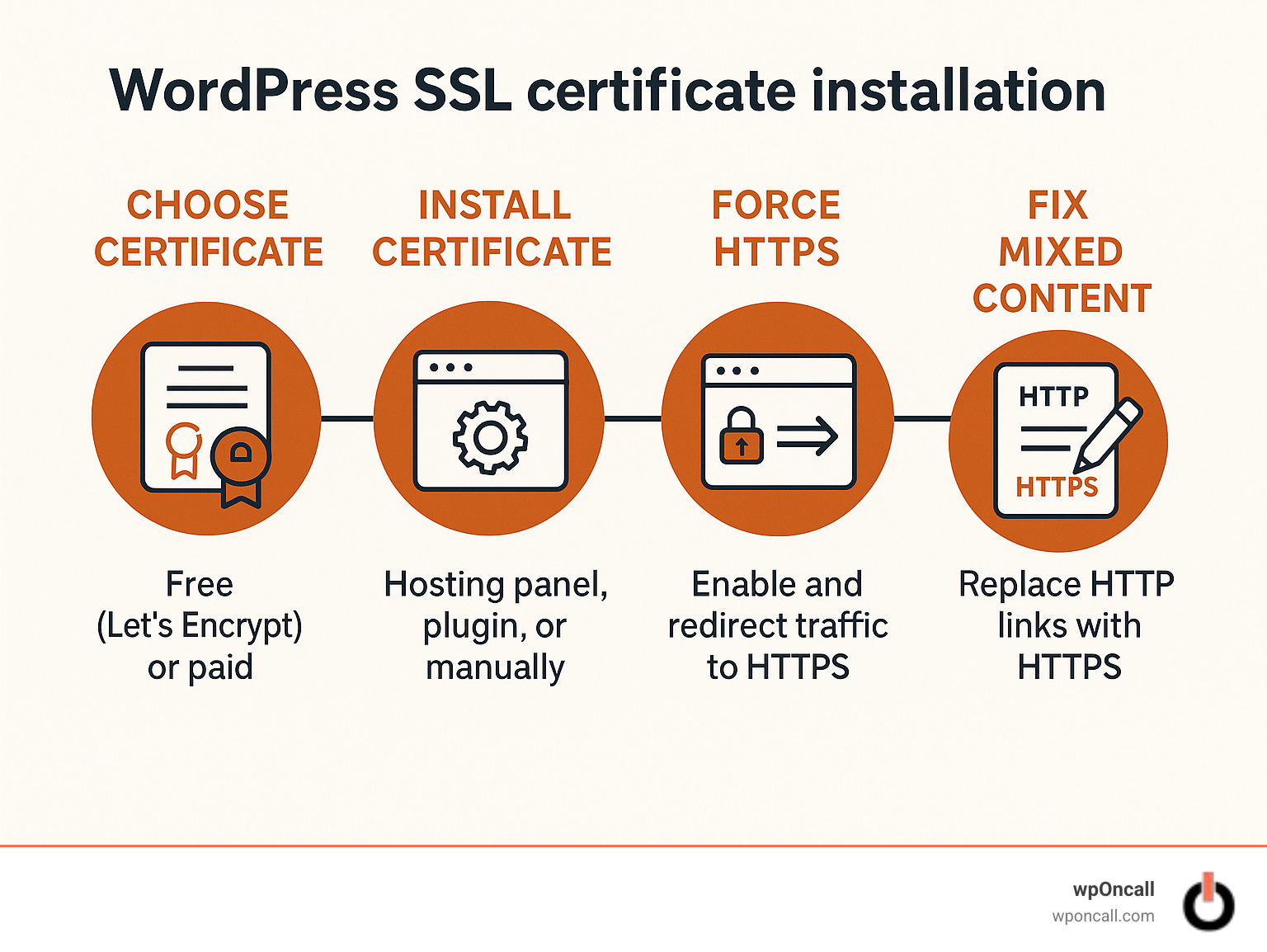
- Backup Your Site
Always backup WordPress before making configuration changes. - Enable SSL in wp-config.php
define('FORCE_SSL_ADMIN', true);
This forces all admin pages to load over HTTPS.
<IfModule mod_rewrite.c>
RewriteEngine On
RewriteCond %{SERVER_PORT} 80
RewriteRule ^(.*)$ https://www.yoursite.com/$1 [R,L]
</IfModule>
This ensures all visitors are automatically redirected to the secure HTTPS version.
- Test and Verify
Use online tools like SSL Labs to verify your certificate is installed correctly.
SSL Is Just One Part of Website Security
While SSL is essential, it’s just one layer. For robust WordPress security, wordpress developers london at WPbyLondon also recommend:
- Secure hosting environment
- Strong admin passwords
- Selective use of security plugins (e.g., Wordfence, Sucuri)
- Regular updates for WordPress core, plugins, and themes
Combined, these measures protect your site from hacks, malware, and data leaks.
Why Choose WPbyLondon for SSL Implementation
At WPbyLondon.com, we specialize in helping London-based businesses secure their WordPress sites. Our team ensures:
- Fast and secure SSL setup
- Correct HTTPS configuration
- Maximum SEO and user trust impact
We integrate SSL seamlessly with your existing workflow, making security effortless for you.
Conclusion
SSL is no longer optional—it’s essential for any serious WordPress website.
For businesses in London, partnering with expert wordpress developers london ensures your site is secure, trusted, and search-engine-friendly.
Protect your users, boost your rankings, and build credibility with WPbyLondon’s expert SSL implementation.